Features
Everything a good TV setup needs
A proper guide, live sport, channels that keep working, and support for the apps you already use — all on a machine you own.
One clean M3U + EPG
Scraped sources are matched against a canonical channel directory — proper names, logos and a full XMLTV guide. One playlist, one guide, no duplicates or junk.
Multiple sources, automatic fallback
Every channel and live event is backed by more than one upstream source. If one goes offline, your agent falls back to another — so the channel keeps playing instead of going dark.
Bring your own playlists
Beyond the curated lineup, upload your own M3U file or paste M3U URLs. Your sources are folded in and treated like any other — names, guide and all.
Only what's actually online
Every feed — curated or your own — is validated live before it reaches you. Offline streams are hidden, so the guide only shows channels that really play right now.
Make the lineup yours
Enable, disable and reorder channels from the dashboard. Keep the whole curated lineup, or pare it down to just the channels you actually watch — in the order you want them.
Live sports, your way
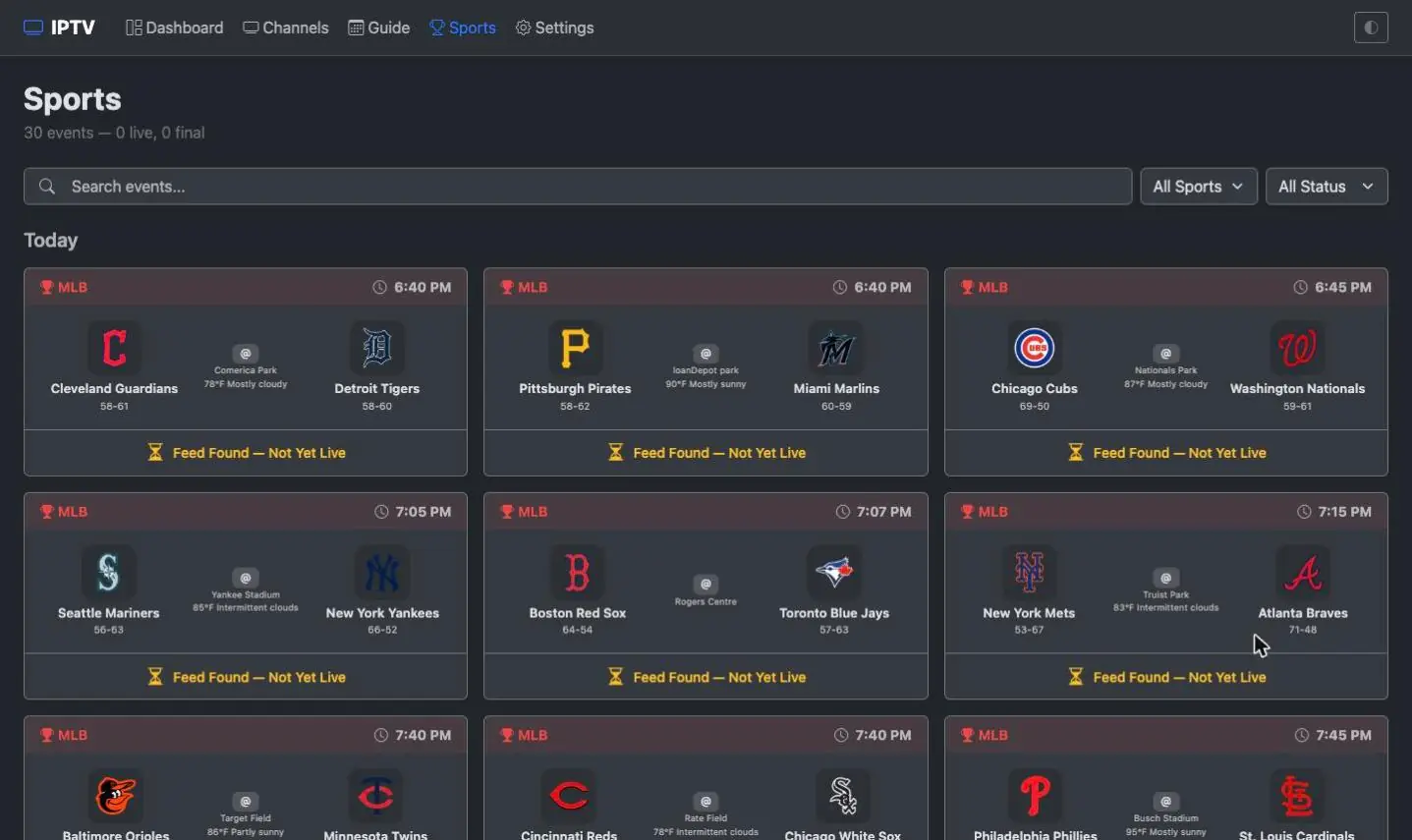
Upcoming games appear as their own channels with composited matchup artwork. Filter to the leagues you follow, turn events off entirely, or run a sports-only lineup with no live TV.
A channel for your team
Pick your team and it gets a permanent channel of its own. Whenever they play, home or away, that channel carries the game — the rest of the time it tells you when they're next on. Tune straight to it instead of hunting through the night's fixtures.
Your local stations, actually local
ABC, CBS, NBC and FOX carry your own market's affiliate, picture and listings together. It works this out from your timezone, or you can name your city — Boston, Seattle, Dallas and around forty others.
Private by design
Streams are proxied through your own server, so the apps you watch on never see where a channel actually came from. Everything kept on disk — your channels, guide and settings — is encrypted at rest.
Watch right in the browser
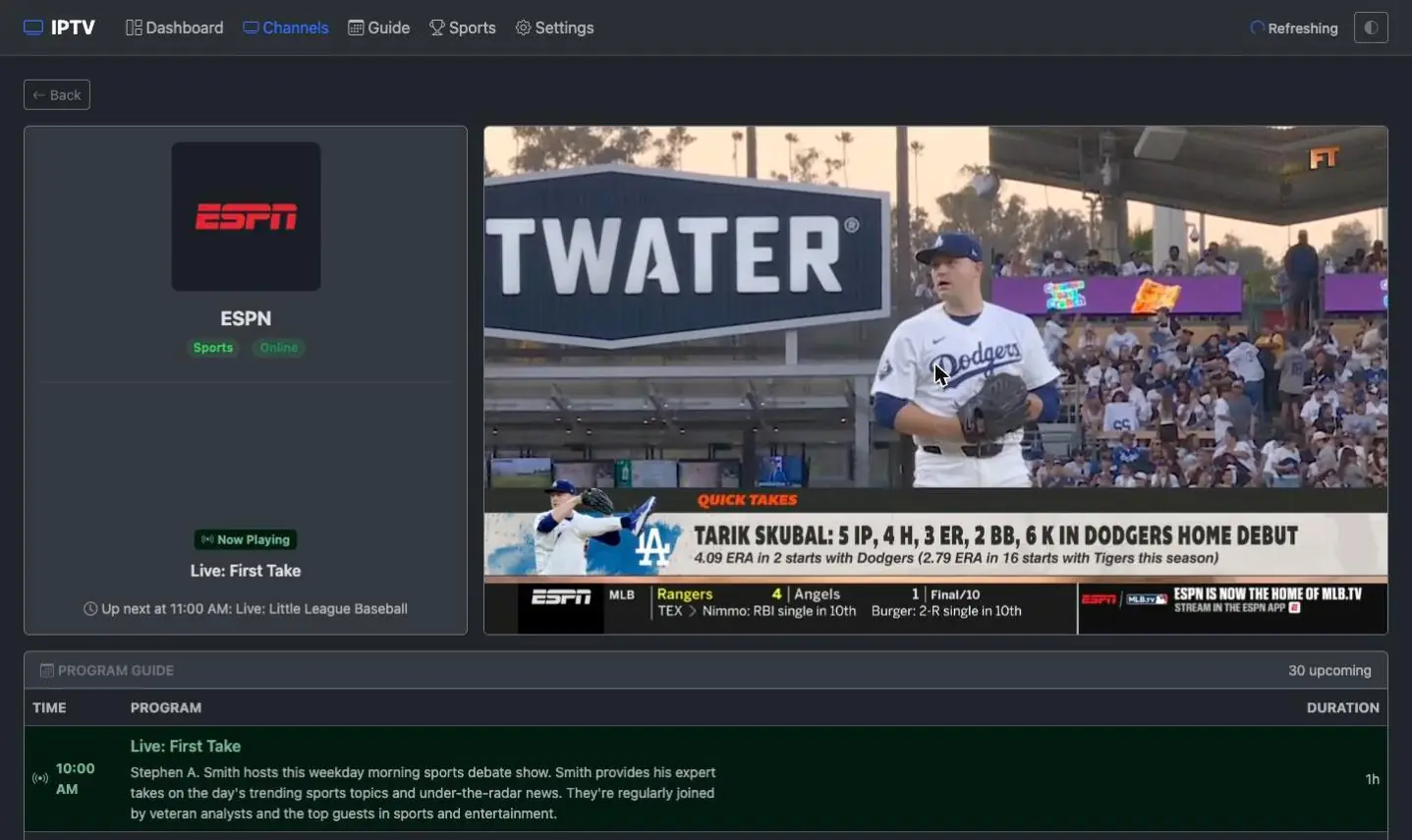
The built-in dashboard streams live channels and events with an HLS player — browse the guide and watch without installing anything else.
Plays in any player
Standard M3U + XMLTV works everywhere — TiviMate, IPTV Smarters, VLC, Kodi — and your server answers as an HDHomeRun tuner, so Plex, Emby, Jellyfin and Channels DVR take it as real Live TV once you give them its address and your guide URL.
One-click updates
New in 1.3.0: when a newer version is available, an Update now button appears in your dashboard. One click pulls the latest image and restarts in place — your data, guide and settings carry over.
Reach blocked sources
Some sources are blocked or geo-restricted by region. Switch on relay mode and your agent pulls those feeds through Rebel IPTV's servers, which proxy the connection from where the source is reachable — same lineup, no VPN.
Self-hosted — you own it
Runs as a single Docker container on your own box. Your guide, your dashboard logins, your data — nothing locked behind someone else's account.
Rich logos & artwork
Crisp channel, team and league marks plus 1080p live-event matchup cards are served straight into your guide and EPG.
The tour
What it looks like to use
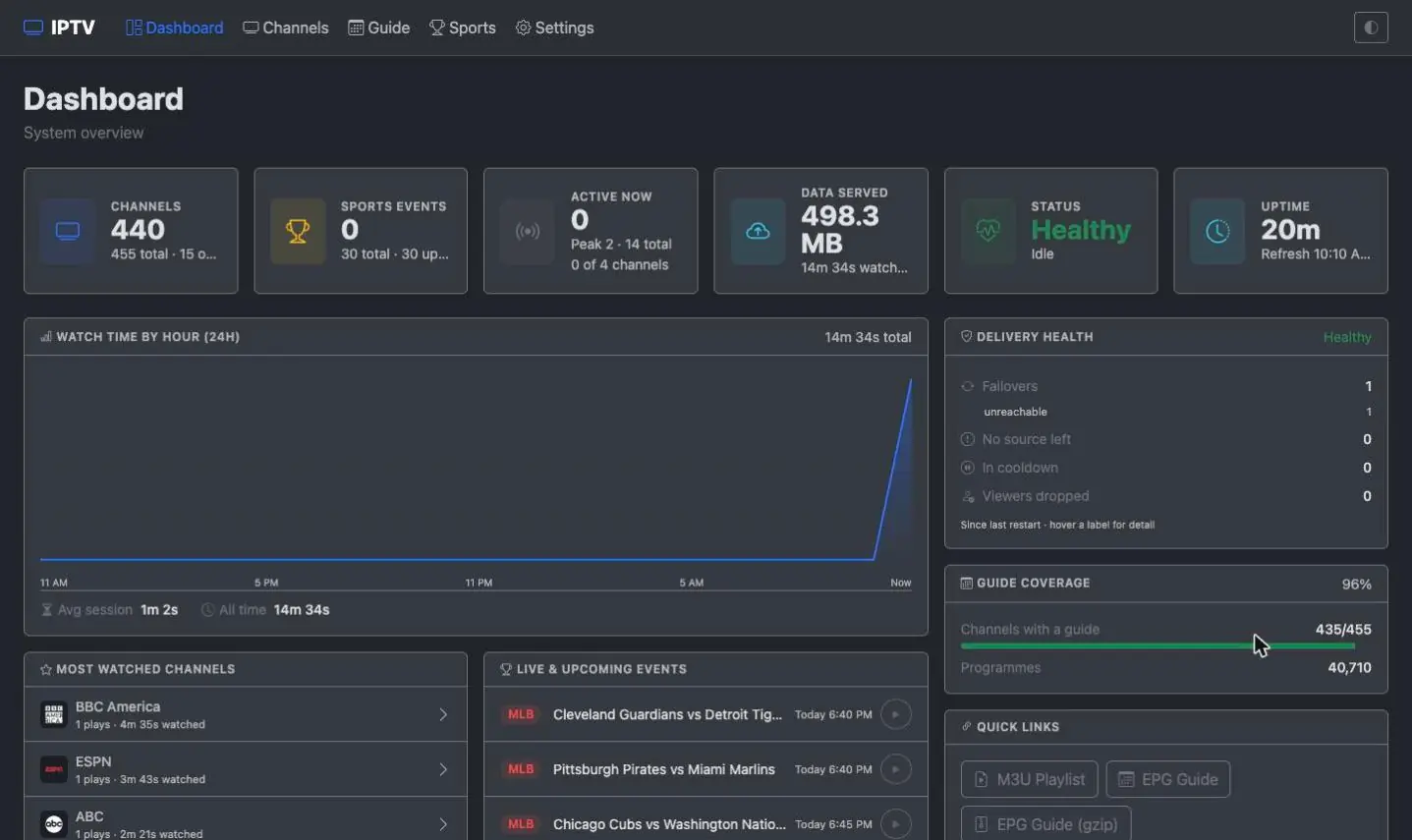
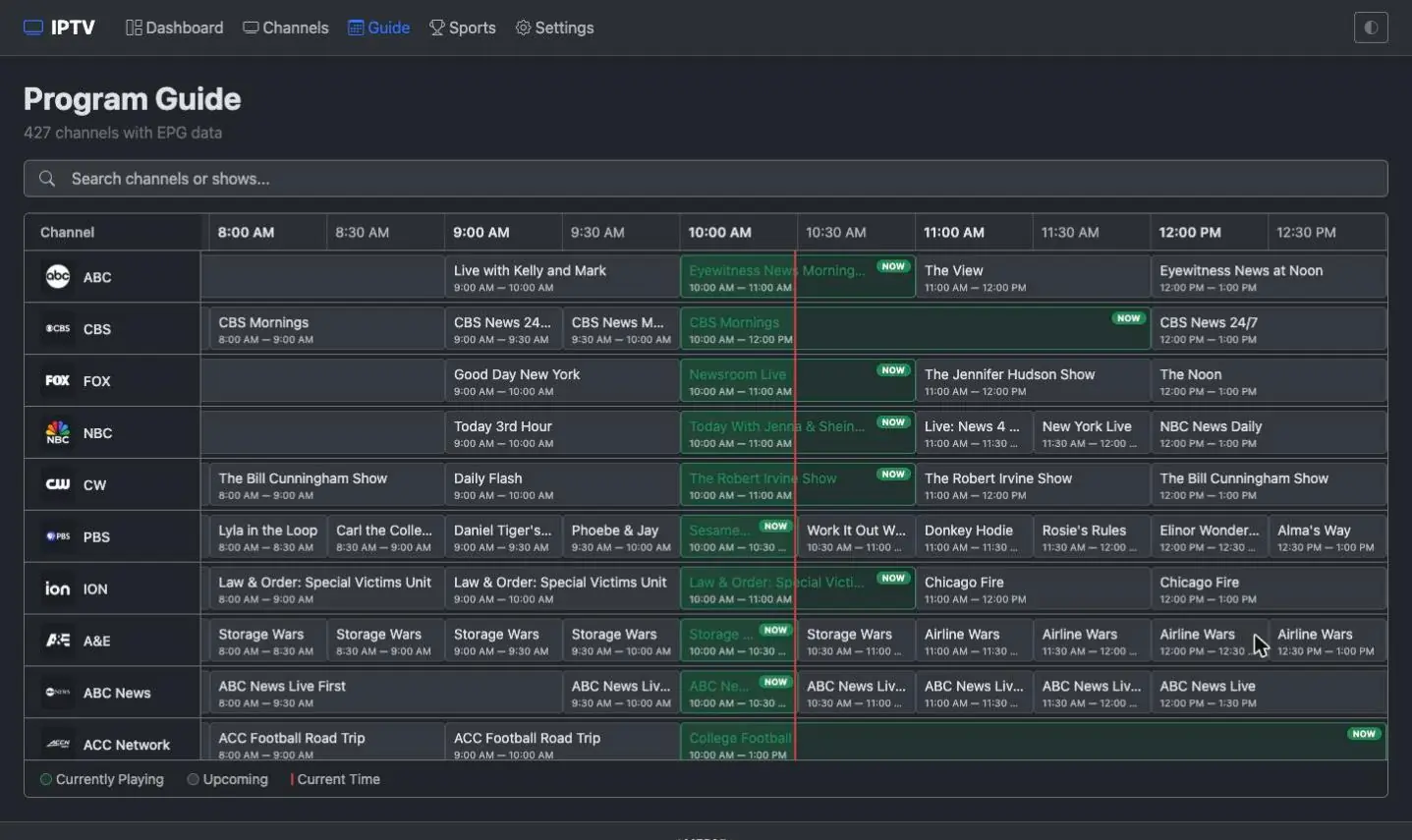
Everything below happens in your own dashboard — a web page your machine serves, which you open in any browser on any device.
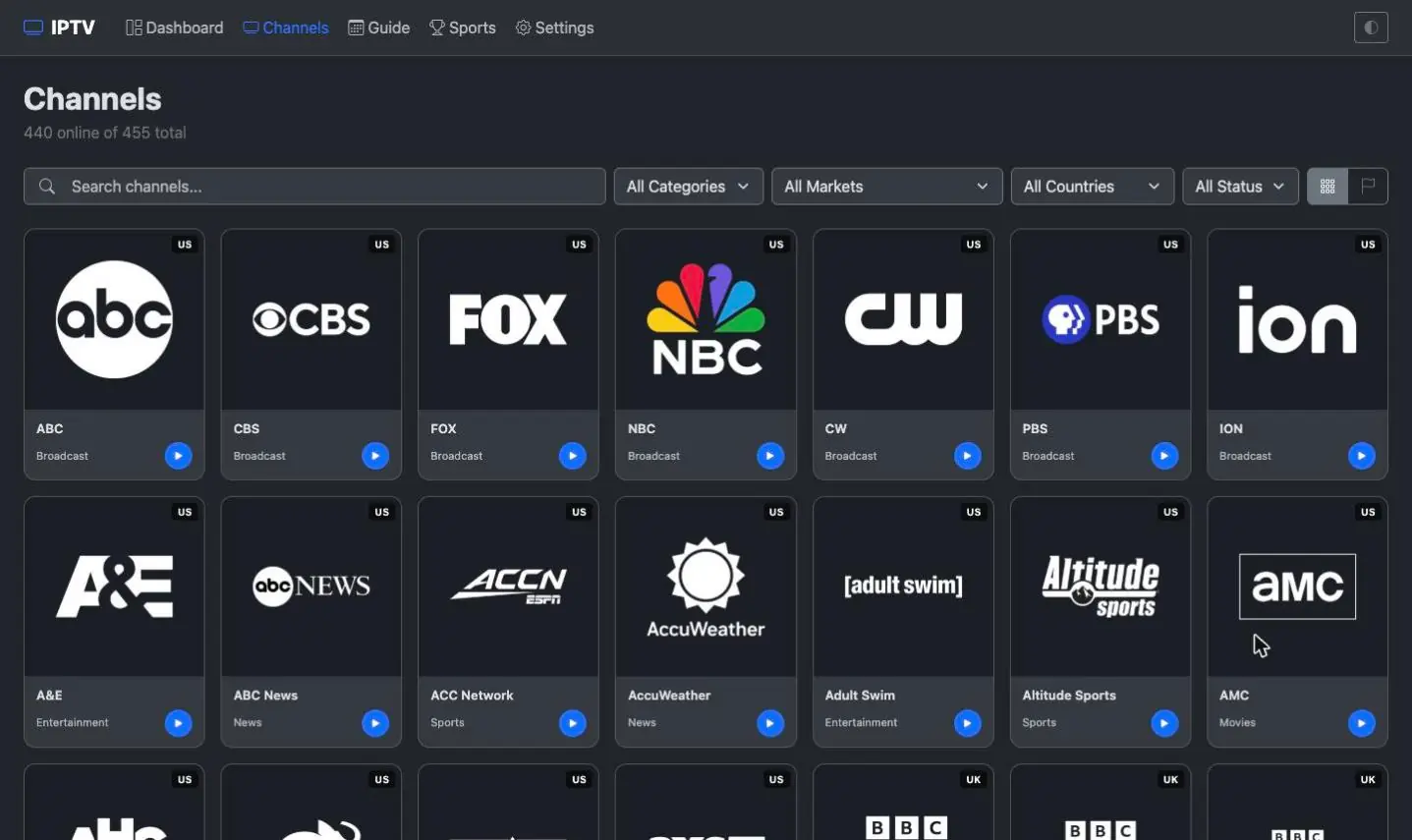
Guide data done properly
Sources are matched against a canonical channel directory, so you get consistent names, the right logos, and a full XMLTV EPG instead of a wall of mislabelled streams.
- Canonical names + de-duplication across sources
- XMLTV EPG with channel and programme artwork
- Whitelist directory keeps junk channels out
Your own sources, validated
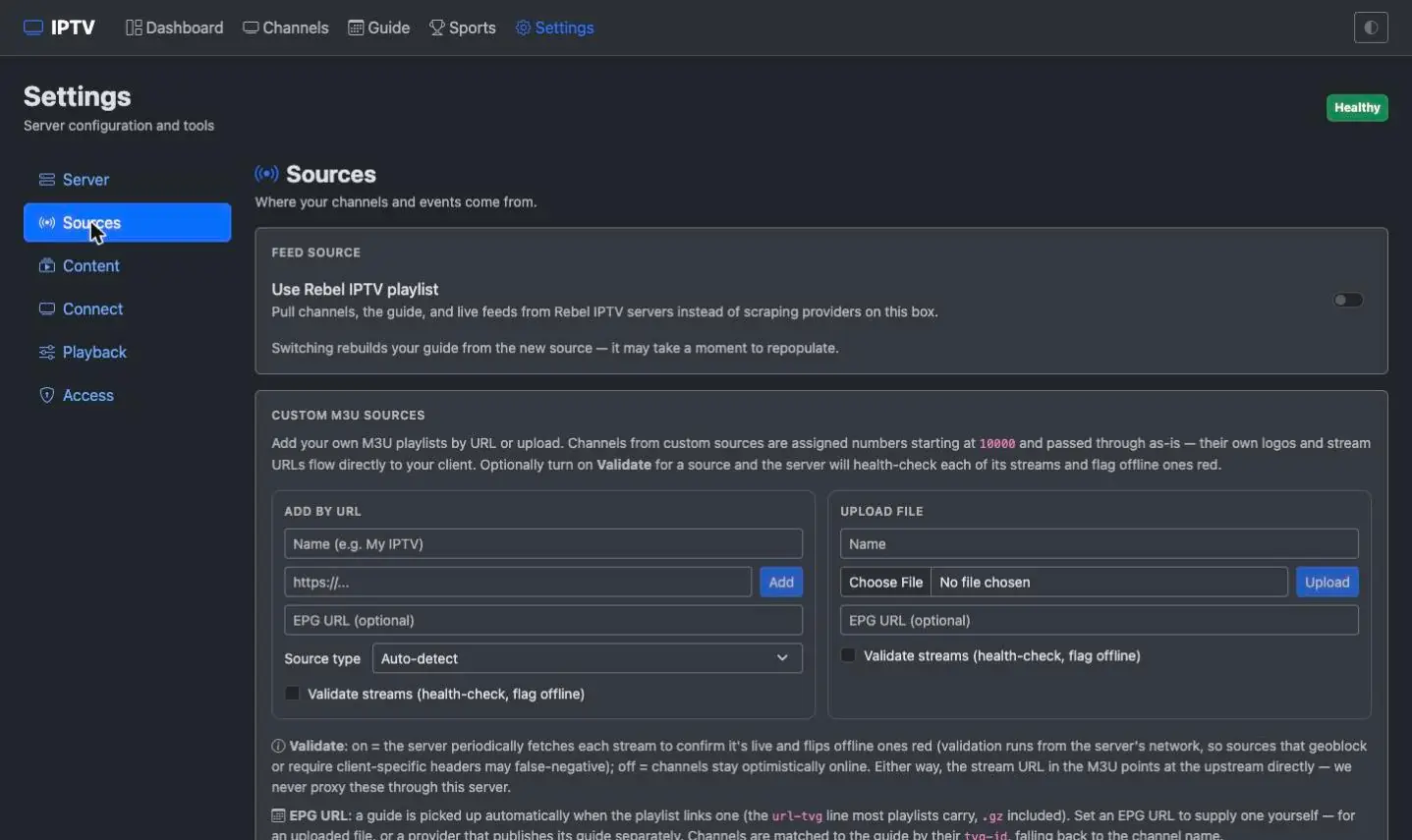
Beyond the curated directory, upload an M3U file or paste M3U URLs and the agent folds them into your lineup. Every feed — yours and ours — is checked live, so you only ever see channels that are actually online.
- Upload an M3U file or add M3U playlist URLs
- Live online-validation hides dead feeds
- Multiple sources per channel, automatic fallback
A lineup tuned to you
Keep the whole curated set or pare it down to the channels you actually watch — enable, disable and drag to reorder them right in the dashboard. Choose which countries you carry, and fine-tune sports the same way. It's all in Settings, and it all survives restarts and updates.
- Enable, disable and drag-reorder any channel
- Pick which countries' channels you carry
- Turn live sports off, or run a sports-only lineup
- Channel numbers are fixed, so player mappings never break
Live sports, scheduled for you
Upcoming fixtures become their own channels automatically, complete with composited home-vs-away matchup cards, so the game shows up in your guide when it's on. ESPN is the source of truth for schedules, team names and scores.
- NHL, NFL, NBA, MLB and MLS
- Live scores, box score, venue and weather on every event
- Give a favourite team its own permanent channel
- Optional sports-only mode for a lean lineup
Real player & tuner support
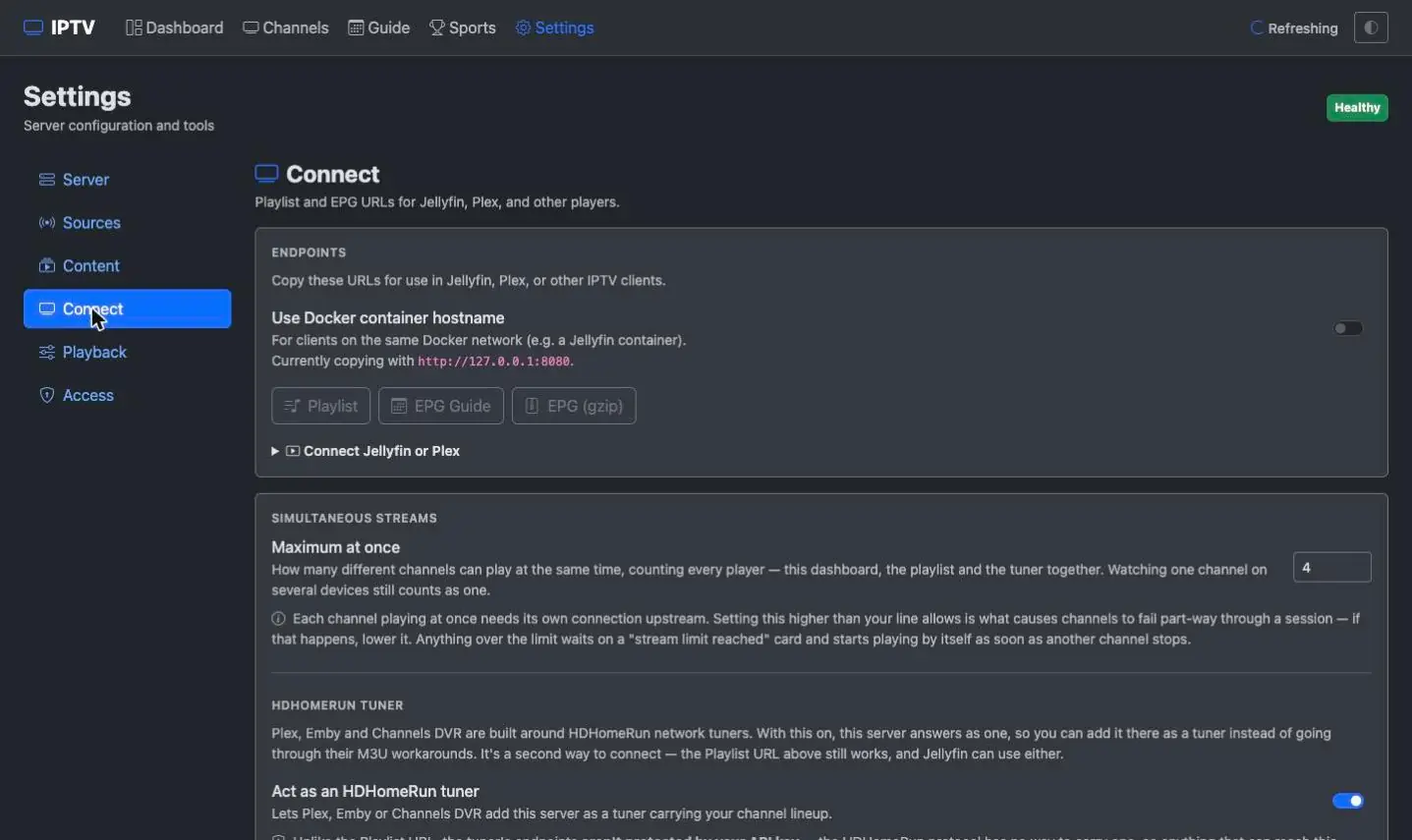
Output is standards-based M3U + XMLTV, and from 1.3.7 your server also answers as an HDHomeRun network tuner — the shape media servers build Live TV around. Jellyfin, Plex, Emby and Channels DVR all take either route.
- Works with TiviMate, Smarters, VLC, Kodi and more
- Add to Jellyfin, Plex, Emby or Channels DVR as a tuner — or a playlist
- The tuner carries channels only, so you add your guide URL with it
- Channel numbers travel in the guide, so listings line up
- In-browser HLS player built into the dashboard
Yours to run, easy to keep updated
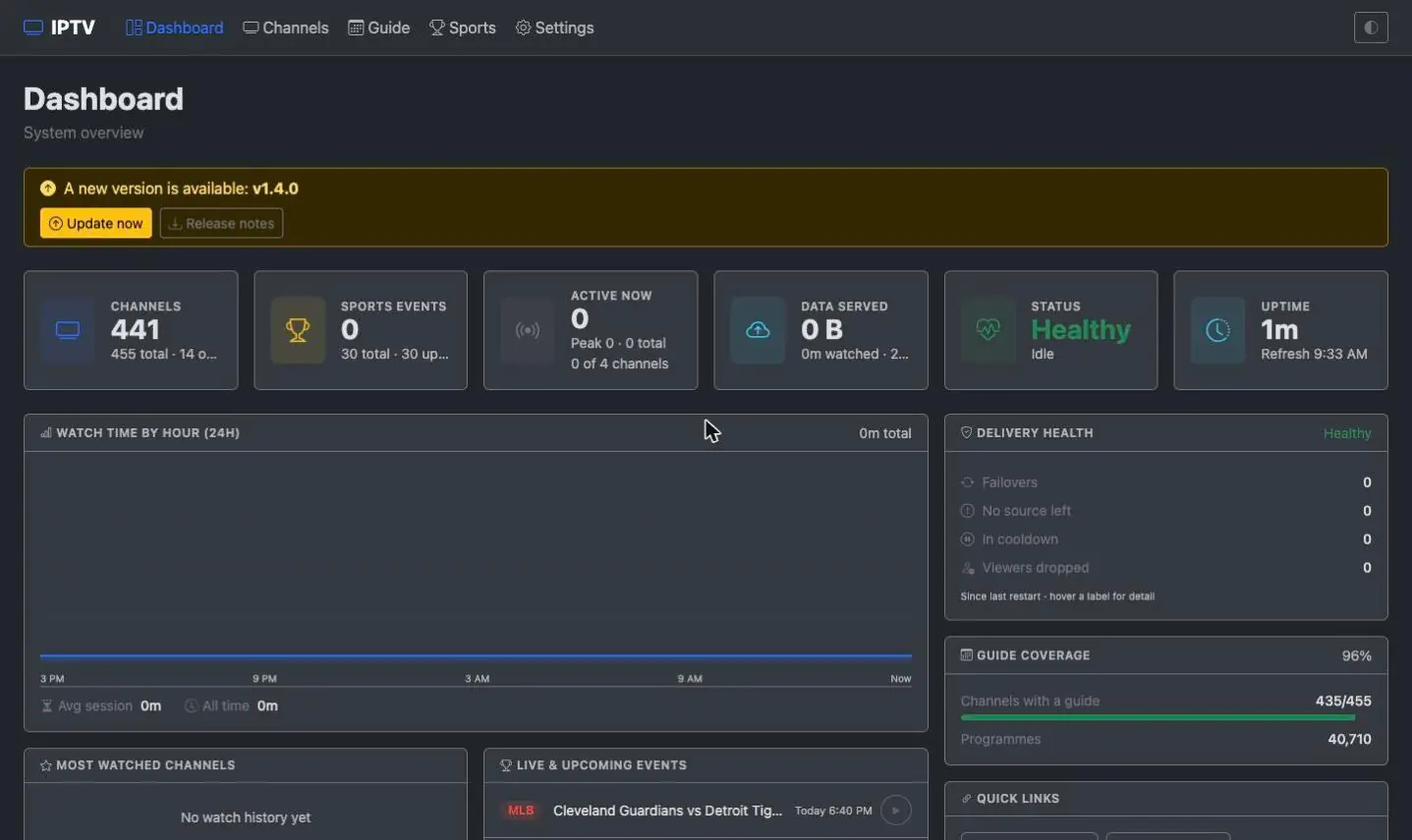
Everything runs on infrastructure you own and can switch off at any time — and from 1.3.0 on, an Update now button in the dashboard pulls the latest image and restarts in place, so staying current is one click.
- One-click in-app updates (1.3.0+), your data preserved
- Stream-health filtering drops dead streams before render
- Self-hosted: your data, your logins, your rules
See it running on your own machine
The quickest way to judge any of this is to try it. The setup guide walks you through it one question at a time.